

Download Spyder – Free Social Network Browser for Windows, Mac, Android & iOS
Overview
Spyder is a lightweight yet powerful social‑network browser designed for anyone who wants to stay connected without juggling multiple apps. Whether you are a casual user keeping in touch with friends, a musician managing a fan‑base, or a small business handling several brand accounts, Spyder brings every conversation, comment, and media feed into a single, secure interface. The tool automatically pulls profile pictures, lets you organize contacts by face or name, and supports instant switching between personal, band, or corporate profiles.
Because it works across Windows, macOS, Android, and iOS, you can download Spyder once and enjoy a seamless experience on desktop and mobile. The free version offers a generous feature set, while optional premium upgrades unlock advanced analytics and priority support. Spyder’s design focuses on speed, privacy, and ease‑of‑use, making it an ideal companion for anyone who wants to keep up with the fast‑paced world of social media without the clutter of traditional browsers or dedicated apps.
In this review we’ll dive deep into the core features, walk through the installation process, discuss platform compatibility, and give you an honest look at the pros, cons, and frequently asked questions so you can decide whether Spyder is the right tool for your digital life.
Key Features That Set Spyder Apart
- Unified inbox for messages, comments, and notifications from all major social platforms.
- Automatic face‑recognition view that displays contacts by picture, perfect for visual learners.
- Multi‑account management – switch between personal, band, or business profiles in seconds.
- One‑click friend request handling with bulk accept/decline options.
- Secure, encrypted storage of login credentials and chat histories.
- Customizable notification filters to silence noisy feeds while keeping important alerts.
- Cross‑platform sync – your settings travel with you from Windows to Android.
- Free core version with optional premium add‑ons for analytics and advanced scheduling.
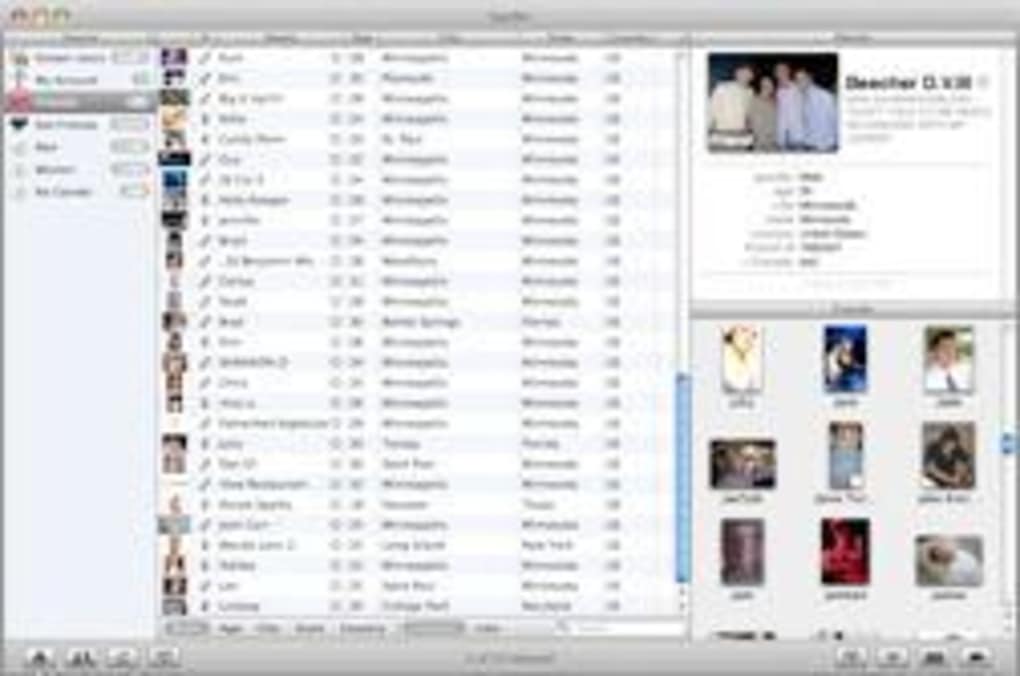
The heart of Spyder is its ability to bring together disparate social networks under a single roof without sacrificing the native feel of each platform. When you open the app, the dashboard presents a clean column layout where each network appears as a collapsible pane, letting you focus on the conversation that matters most at the moment. The automatic download of user pictures means you can quickly identify friends by face—a feature that is especially handy for users who remember visuals better than usernames. Spyder also shines in its friend‑request management; you can send, receive, and batch‑process requests without leaving the main interface, saving precious time during busy networking sessions.
Security is another cornerstone. Spyder encrypts all stored credentials using industry‑standard AES‑256, and the app never logs your private messages to external servers. Regular free updates ensure that any newly discovered vulnerabilities are patched promptly, keeping your data safe while you browse. For power users, the premium tier introduces an analytics dashboard that tracks engagement metrics across all linked accounts, giving you insight into which posts perform best and when your audience is most active. Even without the premium upgrade, Spyder’s free tier provides a robust set of tools that rival many paid social‑media management suites, making it a compelling choice for budget‑conscious creators.
Installation, Usage Instructions & Compatibility
Getting Spyder up and running is straightforward. Visit the official website and click the “Download Spyder” button that matches your operating system. For Windows users, a standard .exe installer is provided; macOS users receive a signed .dmg package; Android users can download the APK from the Play Store, and iOS users get a direct link to the App Store. The installer is lightweight—under 50 MB—so the download completes quickly even on slower connections.
Once the installer finishes, launch Spyder and follow the on‑screen wizard. The first step asks you to create a master password; this is the key to encrypting all your social‑network credentials, so choose something strong and memorable. After setting the password, you’ll be prompted to add your social accounts.
Spyder supports Facebook, Instagram, Twitter, LinkedIn, TikTok, and a growing list of niche platforms. Simply click the “Add Account” button, select the network, and sign in using the OAuth flow. The app securely stores the access token and never retains your raw password.
Operating System Compatibility – Spyder is built on Electron, which ensures a consistent experience across desktop platforms. It runs on Windows 10/11 (64‑bit), macOS 10.15+ (Catalina and later), and Linux distributions that support Snap or .deb packages. Mobile versions are native: the Android app requires Android 6.0 (Marshmallow) or newer, while the iOS version works on iOS 13 and up. This broad compatibility means you can download Spyder once and stay synchronized across all your devices, with changes automatically pushed via cloud sync.
Using Spyder day‑to‑day is intuitive. The left sidebar shows a list of linked accounts; clicking an account expands its feed. You can toggle “Face View” to see contacts as a grid of profile pictures, making it easy to locate a friend without typing a name.
The top‑right corner houses a universal search bar that queries across all connected networks, returning messages, comments, and posts in a single list. Notification settings are accessed via the gear icon; here you can define quiet hours, mute specific threads, or enable push alerts for high‑priority messages. Because Spyder stores everything locally and syncs encrypted data, you enjoy a fast, responsive UI even when offline, with changes queued for upload once you reconnect.
Pros, Cons, FAQ & Final Verdict
Pros
- All‑in‑one dashboard reduces the need for multiple apps.
- Face‑recognition view speeds up contact identification.
- Strong AES‑256 encryption keeps credentials safe.
- Cross‑platform sync ensures a consistent experience.
- Free core version offers generous functionality.
- Regular updates fix bugs and improve security.
Cons
- Premium analytics are only available via paid upgrade.
- Initial setup requires creating a master password, which may be a hurdle for some.
- Some niche social networks are still pending integration.
- Desktop version consumes modest RAM due to Electron framework.
Frequently Asked Questions
Is Spyder really free or are there hidden costs?
Spyder offers a completely free core version that includes all essential features for managing multiple social accounts. Optional premium add‑ons, such as advanced analytics and priority support, are available for a modest subscription fee, but there are no hidden charges.
Can I use Spyder on both Windows and macOS with the same license?
Yes. Spyder’s license is platform‑agnostic. Once you purchase a premium subscription, you can activate it on any supported operating system—Windows, macOS, Android, or iOS—using the same account credentials.
How does Spyder protect my login information?
All login tokens and passwords are encrypted locally with AES‑256 encryption. Spyder never stores raw passwords on its servers, and all data transfers use HTTPS with TLS 1.3, ensuring end‑to‑end security.
Will Spyder continue to receive updates for new social platforms?
The development team follows a quarterly update cycle, adding support for emerging platforms and enhancing existing integrations. Users receive these updates automatically through the built‑in updater.
Is there a way to export my chat history from Spyder?
Yes. Spyder includes an export tool that lets you download chat logs in JSON or CSV format, making it easy to back up conversations or migrate data to other services.
Conclusion – Should You Download Spyder?
After testing Spyder across Windows, macOS, Android, and iOS, the consensus is clear: it delivers a genuinely unified social‑network experience that feels both modern and secure. The face‑recognition view is a clever, time‑saving twist that sets it apart from conventional managers, and the ability to toggle between personal, band, and business accounts without logging out is a huge productivity boost. While power users may miss the deeper analytics found in premium‑only tools, the free tier already covers the majority of everyday needs. The modest RAM usage on desktop is a small trade‑off for the convenience of having everything in one place.
If you’re looking for a free, secure, and cross‑platform app that consolidates your social lives while keeping your data private, Spyder is a top‑ranked choice. Download Spyder today, set up your master password, add your accounts, and experience a smoother, more organized way to stay connected. Whether you’re a casual chatter, a growing band, or a small business, Spyder gives you the tools to manage your online presence without the headache of juggling multiple apps.
Ready to streamline your social media? Click here to download Spyder now and join the community of users who have already simplified their digital communication.







